Access Required
This case study is protected due to confidentiality agreements and is intended only for professional viewing.
To request access, please email toddcmccauley@gmail.com – I usually respond within 60min unless I’m asleep.
Lowe's Enterprise | Supply Chain | Planned
Supply Chain Target State
My Vision
Defining the Future of AI-Powered Work at Scale
This work represents how I approach design: pairing long-term vision with near-term execution. Supply Chain Target State isn’t just a concept, it’s a strategic blueprint for how AI, data, and design can come together to fundamentally change how work gets done across a complex enterprise.
The goal wasn’t to design another dashboard. It was to establish a scalable foundation. One that teams can build toward, validate, and evolve over time.
The Landscape
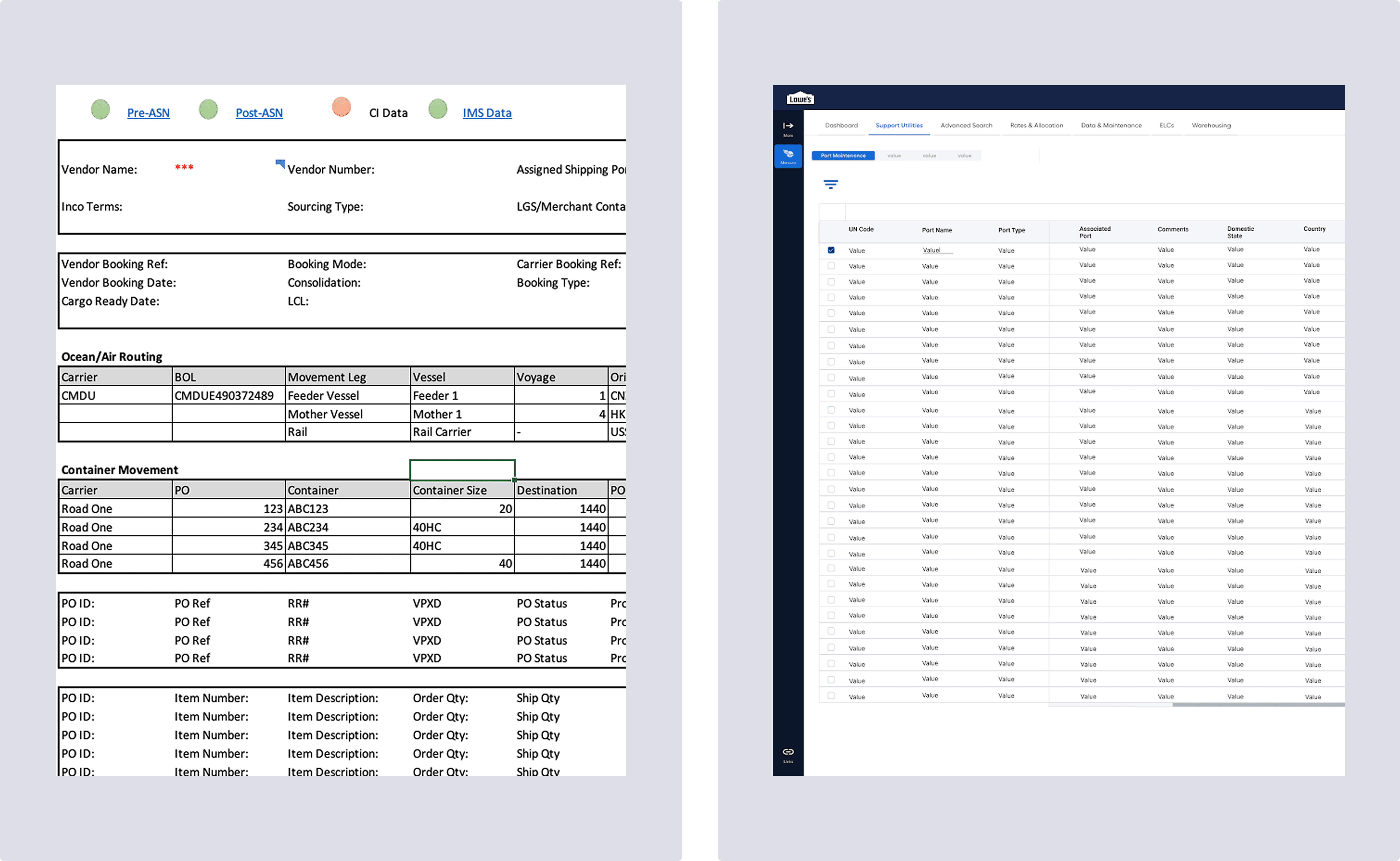
Associates rely on printed documents, exported Excel spreadsheets, and anywhere from two to five separate applications just to complete a single workflow.
Information is scattered. Context is lost. Decision-making depends more on manual reconciliation than insight.
Target State starts by asking a simple question:
What if all of this complexity lived behind a single, intelligent interface?
The Solution?
Supply Chain Target State is a forward-looking vision for how AI can meaningfully empower Lowe’s supply chain associates.
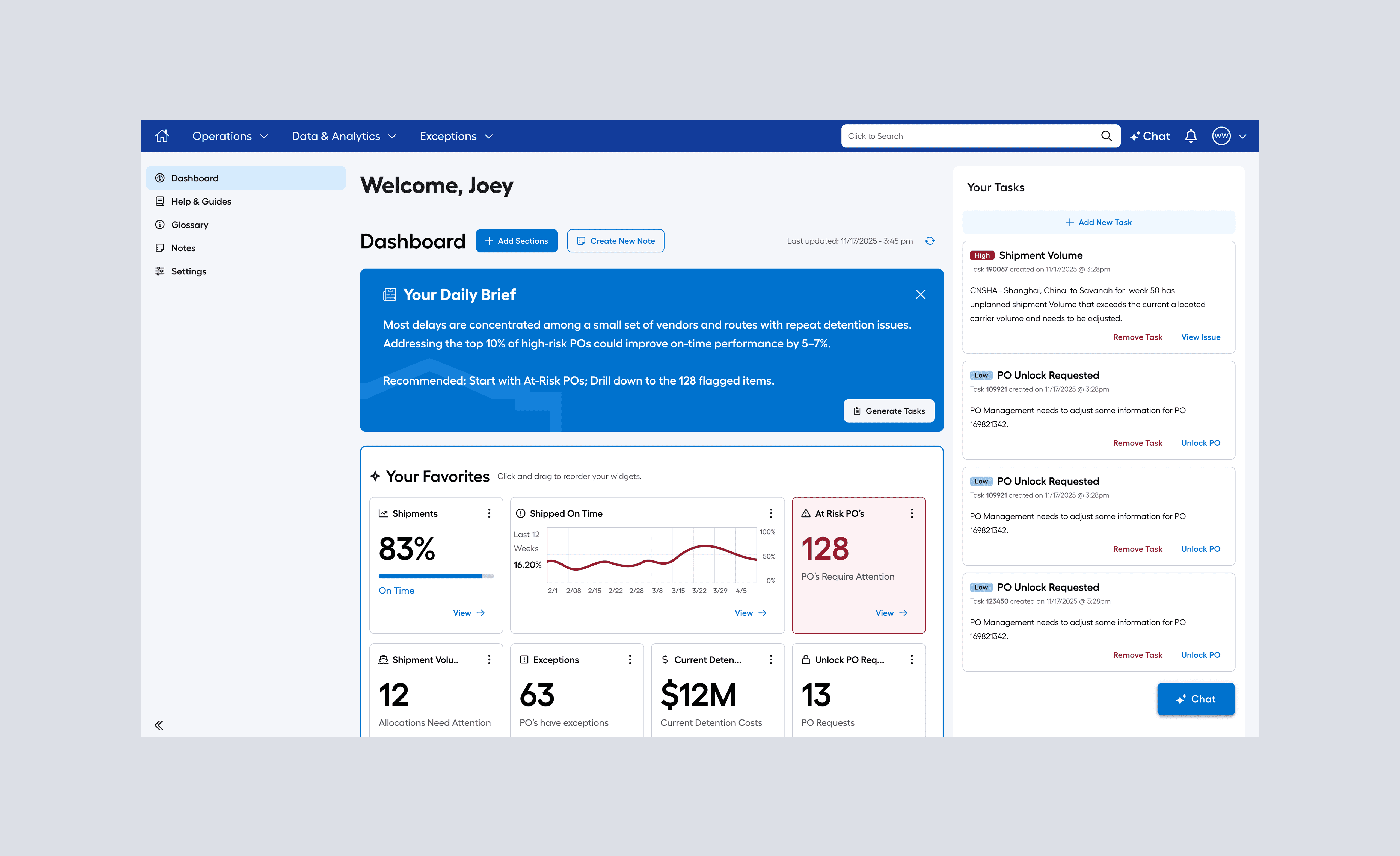
Rather than designing another dashboard, we set out to define a new operating standard - one where data, automation, and design work together to reduce cognitive load and make complex decisions feel obvious.
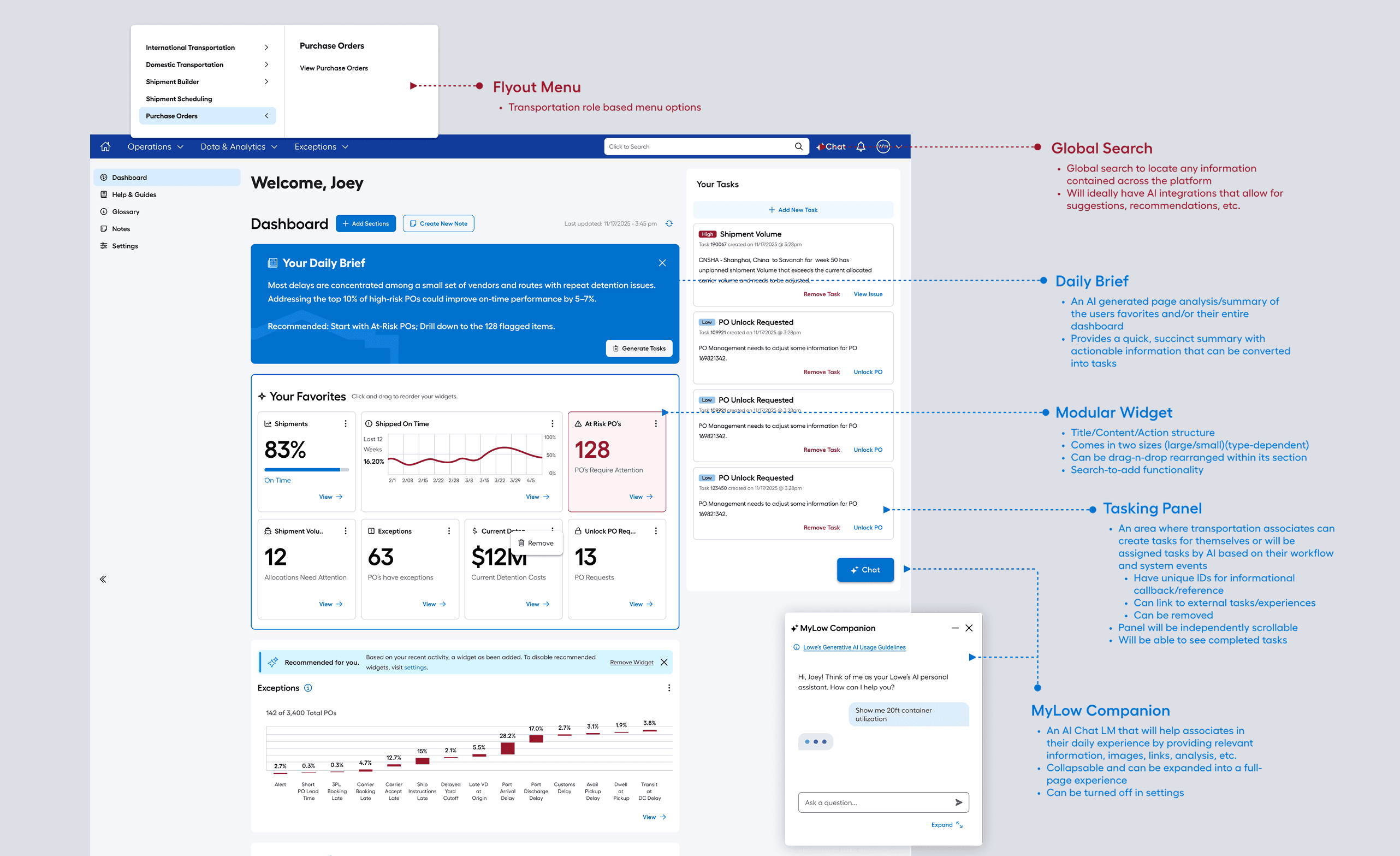
This wasn’t about what we could ship tomorrow. It was about clearly articulating the future we want to build toward: a personalized, adaptive command center that responds to each associate’s role, priorities, and decisions in real time.
The experience was grounded in five core principles:
Trustworthy: real-time, reliable data associates can act on with confidence
Streamlined: minimal friction between insight and action
Intuitive: clear workflows that explain themselves
Supportive: help and context available exactly when needed
Personalized: content and tools adapt based on role and behavior
Discovery
We began in the Transportation space, an information-dense environment already familiar with dashboards and an ideal proving ground for an eventual enterprise-wide solution.
From the outset, my goal was to think big:
Drawing inspiration from best-in-class platforms like Google, Figma, and Gemini, we conducted a competitive analysis focused on AI-infused dashboard experiences—how they surface information, guide decision-making, and scale across diverse users.
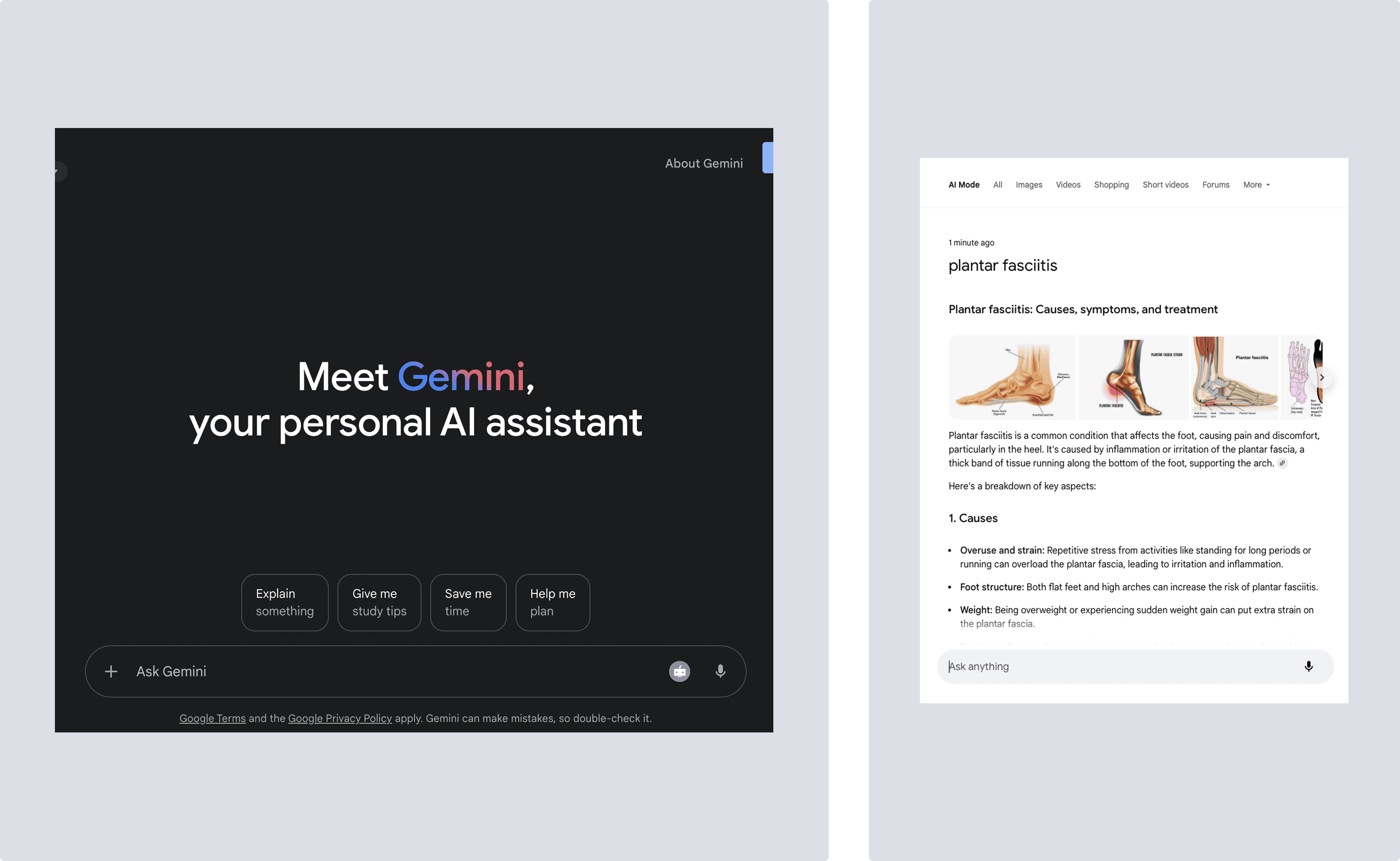
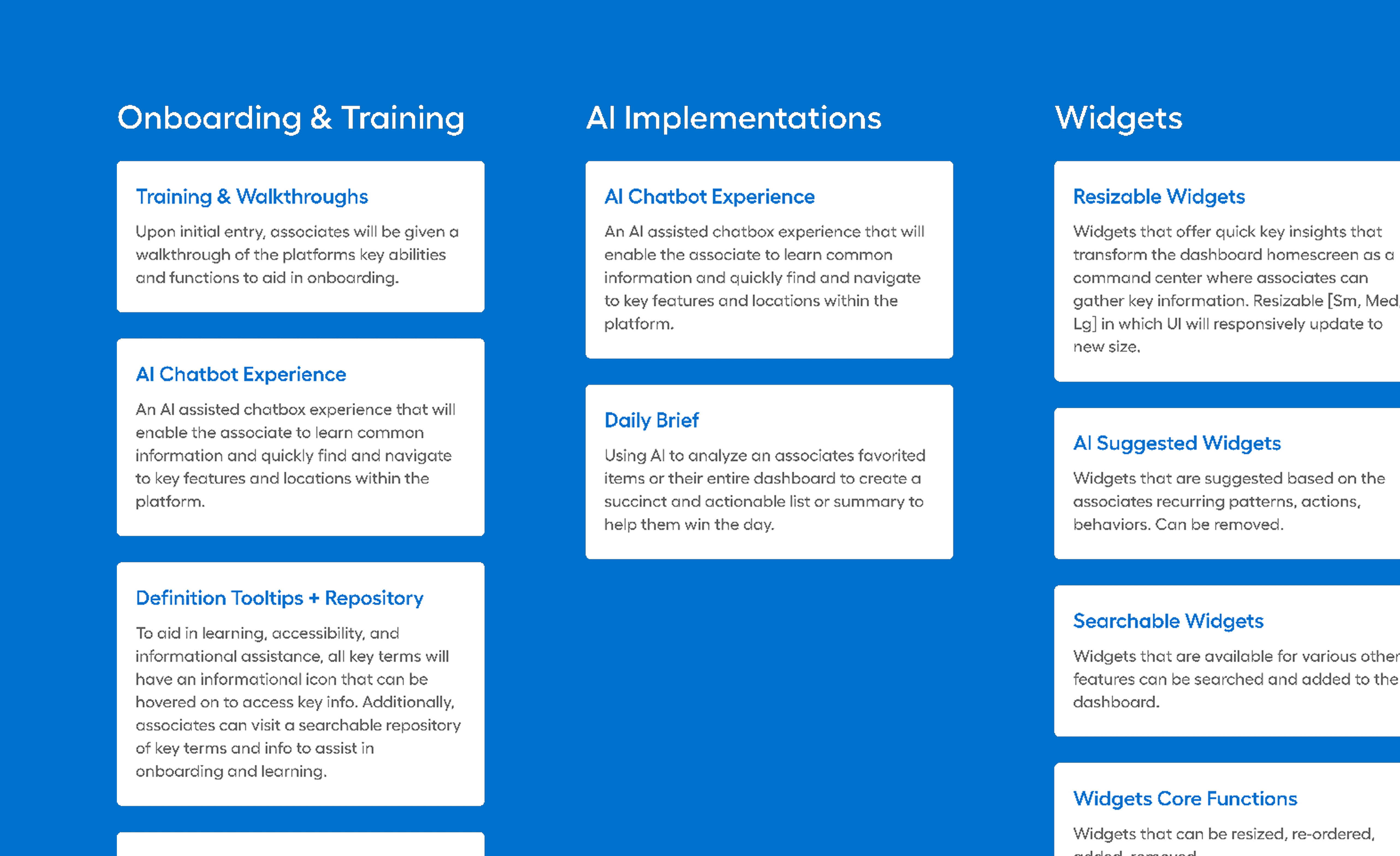
From there, I mapped a broad range of potential capabilities, from intelligent tooltips to task automation, to explore how AI could move beyond passive reporting and become an active partner in the workflow.
Design Process
With a clear user group and opportunity space defined, I began iterating on concepts - starting with a simple, widget-based dashboard and progressively layering in intelligence, personalization, and tasking.
Partnering closely with research, we tested a highly functional prototype with 12 transportation users, including analysts and managers across both domestic and international teams. The goal was to validate whether a centralized dashboard could meaningfully support real workflows—and where it needed refinement.
Early concepts earned a 5.8 / 7 composite ease-of-use score, and qualitative feedback helped sharpen task visibility, information hierarchy, and personalization signals.